

This post contains affiliate links. If you buy through them, I may earn a small commission at no extra cost to you.
Manley has a new plugin, and it’s a big one for a couple of reasons. Manley Ecliptic is the first original Manley EQ plugin. It isn’t a model of a hardware unit. And it’s the first plugin Plugin Alliance has released since Dirk Ulrich, the guy who founded the company, bought it back.
I was not paid to make this review. I just wanted to see what Dirk’s first release would sound like.
Why this plugin matters
For me, and I think for a lot of people, Dirk always felt like the guy who was on our team. He wants plugins to be as good as they can be. When he sold Plugin Alliance, it went the way a lot of companies go once they get bought up, and it kind of fell apart. In July 2026 he bought Plugin Alliance and Brainworx back. While he was away, he also bought Manley Labs and Apogee, so Ecliptic is two of his companies coming together. (I covered the whole ownership story in my post on Apogee’s plugins moving to Plugin Alliance.)
Here’s the part I find really interesting. For years we’ve been taking analog gear and making digital versions of it. Ecliptic goes the other way. Plugin Alliance says that if enough people like it and use it, it could become a real Manley hardware unit. So this time the plugin comes first and the hardware might come later.
The controls
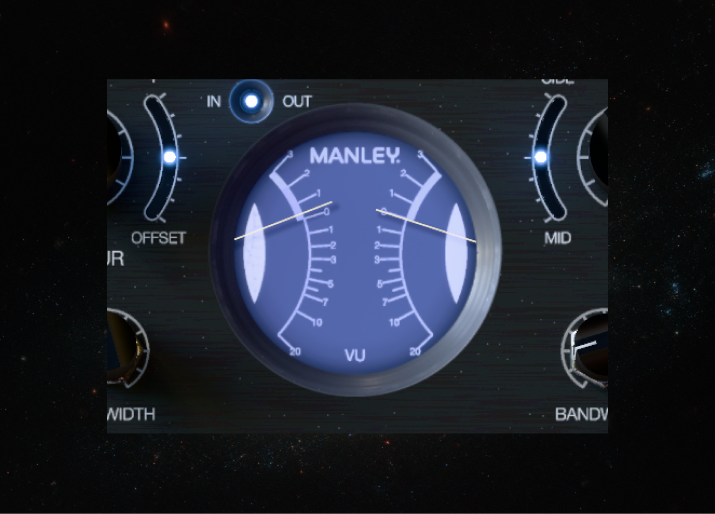
It looks like you’d expect a Manley unit to look, with that purplish gray color, and the VU meter is like the ones on Manley’s newer hardware. Going from left to right:
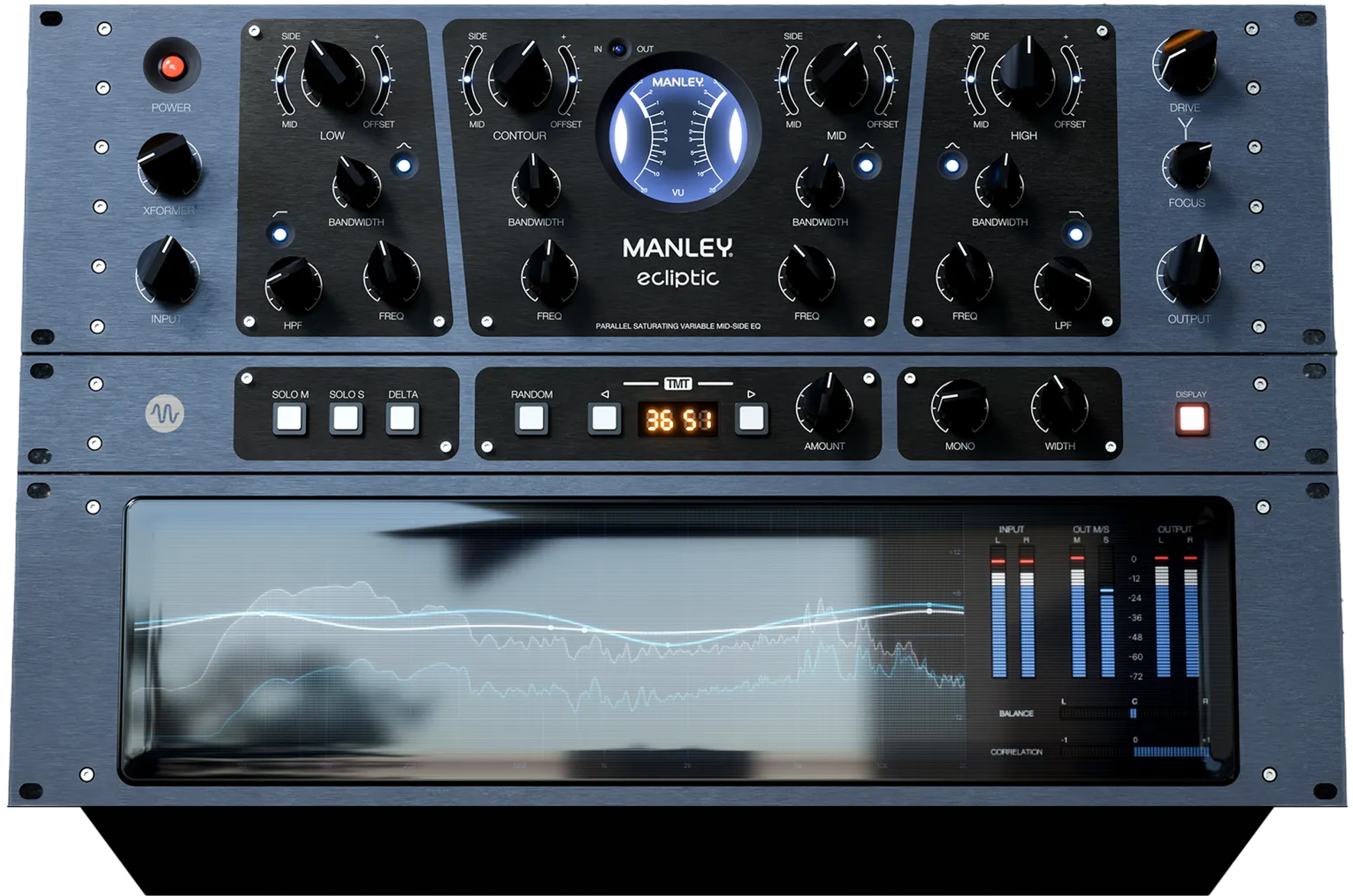
- Transformer and input. There’s a transformer on the input stage for some extra Manley saturation and color. If you’re not getting enough color, push the input knob to hit the transformer harder.
- Low band. A low boost plus a high-pass filter. It goes up to 12 dB, but the knob moves slowly, so these are fairly subtle moves. I think of this as a mix bus EQ, though you could use it on plenty of other things.
- Cut button. Set a boost where you want it, hit the button, and it flips to a cut. The notch gets a little tighter on a cut than on a boost.
- Contour. This reminds me of something on the bx_digital V3. Turn it up and it boosts the lows, cuts the middle around 1K (an area that can get harsh), and adds a little boost on top. It’s a nice curve when you just want something to sound better overall. You can move the frequency from 300 Hz to 2K and change the bandwidth.
- Mid and high bands. Frequency, bandwidth and the same cut option. The high band also has a low-pass filter.
- Auto gain. Make your boosts, hit the button, and it level-matches the plugin for you. Everyone needs this, because this thing sounds amazing when you start boosting everything, and louder isn’t always better.
- Bottom rack. The usual Plugin Alliance tools: solo mid, solo sides, delta, TMT, mono and width, plus a display you can turn on and off.
My one complaint is the contour range. Part of me wishes it went past 2K. Sometimes the area I want to pull back is around 3K, and in digital I don’t love being limited to a set range. I understand why they did it, but I’d like a little more.
The mid-side offset is the best part
This is where Ecliptic gets interesting. Say you’re boosting the high end on a mix, which is a very normal thing to do. With the mid-side section, you can have the sides boost more than the middle. That’s a great way to create width.
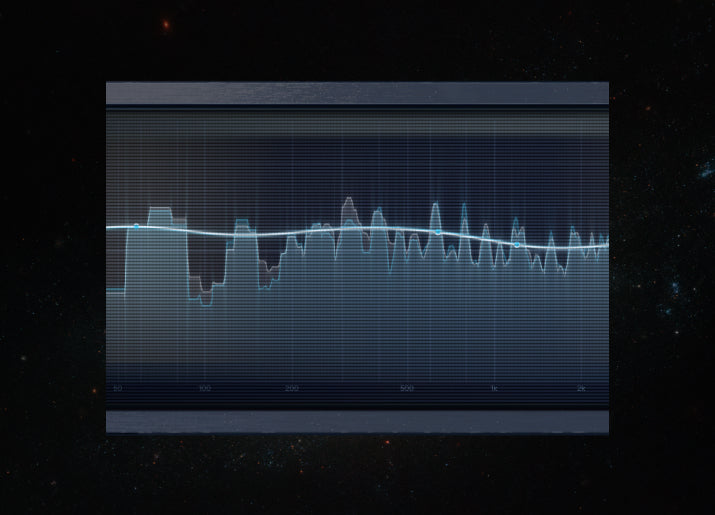
The offset takes it one step further. It lets the sides boost at a different frequency than the middle. On my mix, the mid was boosting around 18K and the sides around 16K. That gave the vocal some air without getting harsh, while the sides got pushed enough that you can really hear the width. You can see the two curves separate in the analyzer when you turn it, and it’s a different result than you’d get from a normal mid-side EQ.
Drive and tilt
Drive is the saturation, and the more you drive it, the more you get. The tilt knob decides where that saturation goes. At zero it saturates the whole frequency spectrum equally. Turn it down and it saturates the low end more than the top. Turn it up and it saturates the top more than the low end.
I really like having this. A lot of the time you don’t want your low end distorting, but a little saturation on top can bring brightness and clarity to a mix without making it overly bright.
TMT now has an amount knob
TMT is the Brainworx idea of making plugins behave more like analog. On analog gear, the left and right channels were always a little different from each other, and TMT recreates that. You can put Ecliptic on 10 different channels with different TMT settings, and each one will sound very slightly different.
What’s new here is that instead of a digital or analog button, you get an amount control. At zero there’s no deviation between left and right, so it acts like digital. At 100% it’s fully deviated. With the contour boosted, you can actually watch the left and right curves spread apart as you turn it up. I like being able to set that myself instead of just flipping a switch.
Free Mix Review
Not sure what’s holding your mix back?
Send me your rough mix and I’ll record you a free 3 to 5 minute video on what to fix first. Rather do it yourself? Grab my vocal and mastering presets.
How it sounded on a real mix
I pulled up a song I mixed a while ago for the band Frozen Poppy Seed and put Ecliptic on the mix bus. Here’s what I did:
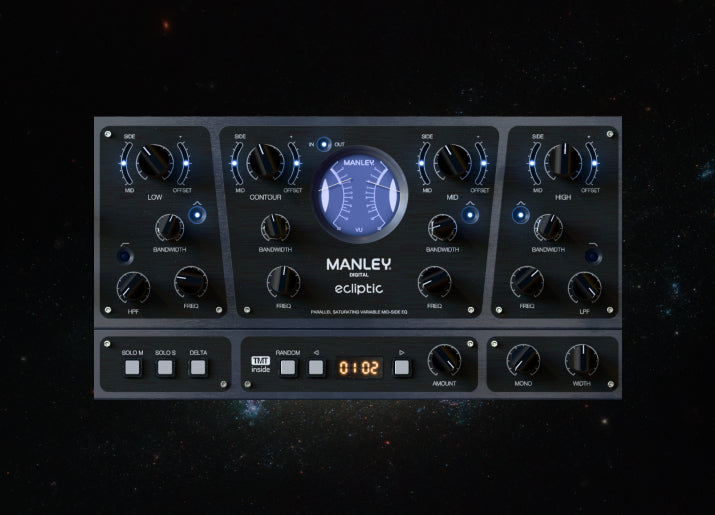
- Pushed the contour up a bit for a little more low end, and to pull back that edgy frequency in the mids. Then I moved the contour frequency as close to 3K as it would go to hear the difference.
- Boosted the highs, turned up the sides for width, and added a little offset so the sides boost lower than the middle.
- Added a bit more drive, tilted toward the top, so the saturation landed in the upper frequencies and not the low end.
That took very little time, and it sounded really good to me. Ecliptic is a great finisher. The way it’s built, you can get to where you want to go fast. Have a listen in the video and judge for yourself.
This is the same kind of mix bus work I do on every song I’m hired for. If you’d rather hand that part off, here’s how my online mixing and mastering works, and you can see every package on my pricing page.
My presets
I made three presets for Ecliptic: one for vocals, one for kick and one for the mix bus. The mix bus one is close to what I set up in the video. They come with the plugin, so you’ll have them as soon as you install it. If you want my vocal chains for the rest of your plugins, those are on my vocal and mastering presets page.
Should you get it?
If you want an EQ that makes a mix bus sound bigger and wider in a few moves, I think Ecliptic is worth trying. The mid-side offset and the drive tilt are things I don’t get from my other EQs, and the auto gain keeps you honest. If you already have a mix bus EQ you love and you never use mid-side, it’s less of a must-have.
At the time of writing it’s $99.99, down from $199, and Plugin Alliance says it’s included in its CORE and PRO subscriptions. Check the current price on Manley Ecliptic here. If you’re already on a subscription, here are the Plugin Alliance plugins I use on every mix.
One more thing. A new EQ won’t fix a mix on its own. Knowing where to boost, how much and why is the hard part. If you want to learn that on your own music, my mixing and mastering coaching is built around your song: I mix and master it, then walk you through every decision I made.
Mixing & Mastering
Want a pro mix and master?
One engineer handles everything, start to finish. Credits include Kelly Clarkson, Travis Barker and A$AP Rocky.
Common questions about Manley Ecliptic
Is Manley Ecliptic a model of Manley hardware?
No. It’s the first original Manley EQ plugin, built by Manley’s hardware designers with the Brainworx and Plugin Alliance teams. There’s no hardware version yet.
Will Ecliptic become a hardware unit?
Maybe. Plugin Alliance says it will use feedback from users, and if enough people want it, Ecliptic could become Manley’s next hardware product. Nothing is promised.
Is it included in the Plugin Alliance subscription?
Plugin Alliance lists it as included in its CORE and PRO subscriptions.
What formats does it come in?
AAX, AU and VST3, on macOS (Intel or Apple Silicon) and Windows.
What is Ecliptic best on?
I see it mainly as a mix bus EQ, but it works on lots of other sources. I made presets for vocals and kick too.
Key takeaways
- Ecliptic is the first original Manley EQ plugin and the first release since Dirk Ulrich bought Plugin Alliance back
- The mid-side offset lets the sides boost at a different frequency than the middle, which is great for width and air
- The drive tilt puts saturation on the top or the bottom, so you can add brightness without distorting the low end
- TMT now has an amount control instead of a simple on or off
- My one wish: a contour that goes past 2K
What do you think of Ecliptic? Let me know in the comments. And if you need your songs mixed or mastered, hit me up here, or if you want to learn to do it yourself, check out my coaching. Rather talk it through first? Call me at 323-499-6401. You’ll get me, not a bot.