

Sonible just released a new plugin called Smart Chain. If you use your imagination, you can probably guess what it is: a chain of plugins. It’s Sonible’s smart EQ and smart compressor combined into one plugin, plus a way for every instance in your session to talk to each other so they can balance the song as a whole.
That’s a big promise. So I put it on a real hip-hop song I recently mixed and mastered, “Stand On It” by John Banton, to see how close it actually gets. Quick note before we start: I’m not sponsored by Sonible. They sent me the plugin for free, and that’s it.
Quick Verdict: Is Sonible Smart Chain Worth It?
- What it does well: Cleans up a signal fast. Everything comes out tidier and more polished.
- Where it falls short: It doesn’t know what your song is supposed to feel like. On my hip-hop track it flattened the energy.
- How I’d use it: As a starting point to build on, not a “hit the button and bounce” mix.
- Best for: Producers and artists who want a cleaner starting point on messy tracks.
What Is Sonible Smart Chain?
Smart Chain puts Sonible’s EQ and compressor in one plugin, with a clipper, saturation and a de-harsh section on top. You tell each instance what it’s sitting on (drums, bass, hi-hat, keys and so on), hit play, and it listens and sets itself up.
The part that’s new is the interconnection. Every instance of Smart Chain in your session shows up in one list, and you can group tracks and position them in the mix, front or middle, so the plugins balance against each other instead of working in isolation. If you’ve tried Sonible Unmask, it’s the same family of thinking, pushed further.
The Test: A Real Hip-Hop Mix
I used the stems from John Banton’s “Stand On It” (make sure to check him out): drums, percussion (hi-hat and shakers), bass, and a music stem that’s mostly Rhodes with some horns. Nothing fancy, just the kind of session I see every week.
Drums: Overcompressed Right Out of the Gate
I set the first instance to drums and let it listen. The first thing I heard was a kick that sounded overcompressed.
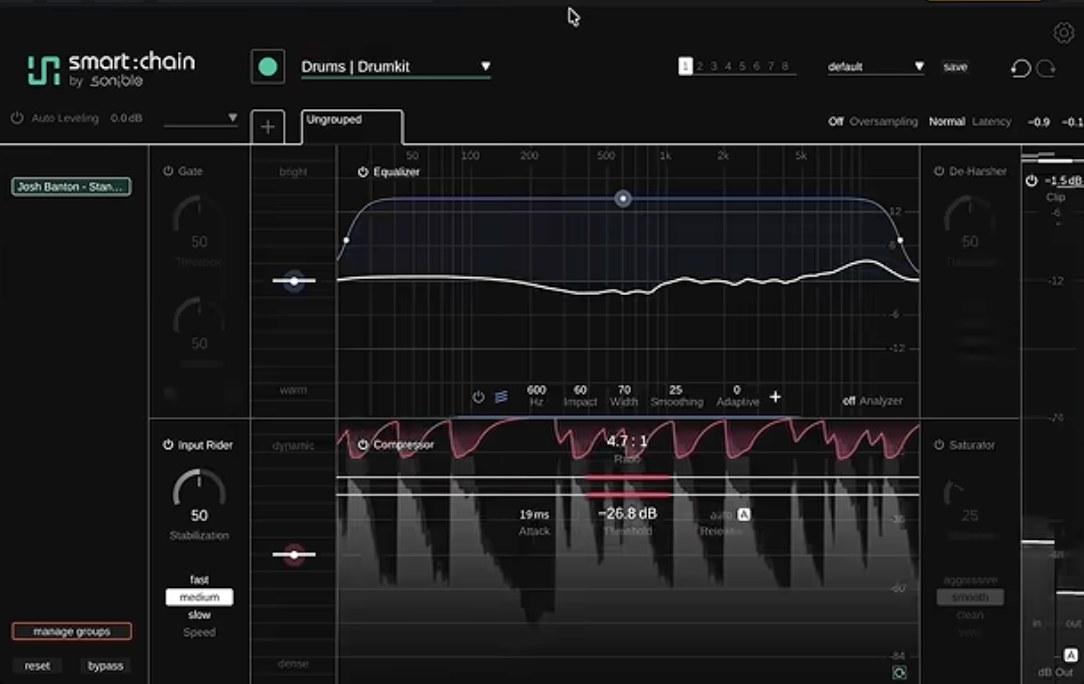
This is what’s hard for me with plugins like this. Smart Chain has no idea what the musical intention of the song is. In hip-hop, the kick is supposed to kick. What it did instead was clamp down on it, like it was reading the drums as pop or rock. So I backed off the compressor, and that helped. It still felt a little tight, maybe because it was taking some of the warmth out of the low end.
I also turned off the clipper. I don’t want a clipper on every channel, and I didn’t want to clip the drums at that stage. One odd thing: the output level lives in the clipper section, so to get my level back I had to turn the clipper back on and set it to zero.
The EQ: Technical, Not Taste
The EQ didn’t sound bad. Maybe a little bright for me, but it cleaned the drums up. That’s what Sonible’s EQ always does well. It’s a technical reading of EQ, not a taste EQ like you’d get from a human ear. It’s closer to something like soothe: it looks at all the frequencies and balances them toward an even spectrum.
I also tried the saturation on the smooth setting to see if it would bring back some excitement. Not bad. It definitely cleaned things up. I’m just not sure I liked it.
Free Download
Want a better starting point for your vocals?
Grab my free vocal preset and hear the difference on your next session.
Running Smart Chain on the Whole Song
Next I put Smart Chain on every stem. This is where it gets interesting, because you can see every instance in one place inside the plugin.
I tried hitting Universal to see if it would set all of them at once, but it seemed to do one at a time. There may be a way to do it all together, but I’d just gotten the plugin and didn’t have much documentation yet. So I went through them one by one: hi-hat for the percussion stem, bass for the bass, and electric (keys) for the music stem.
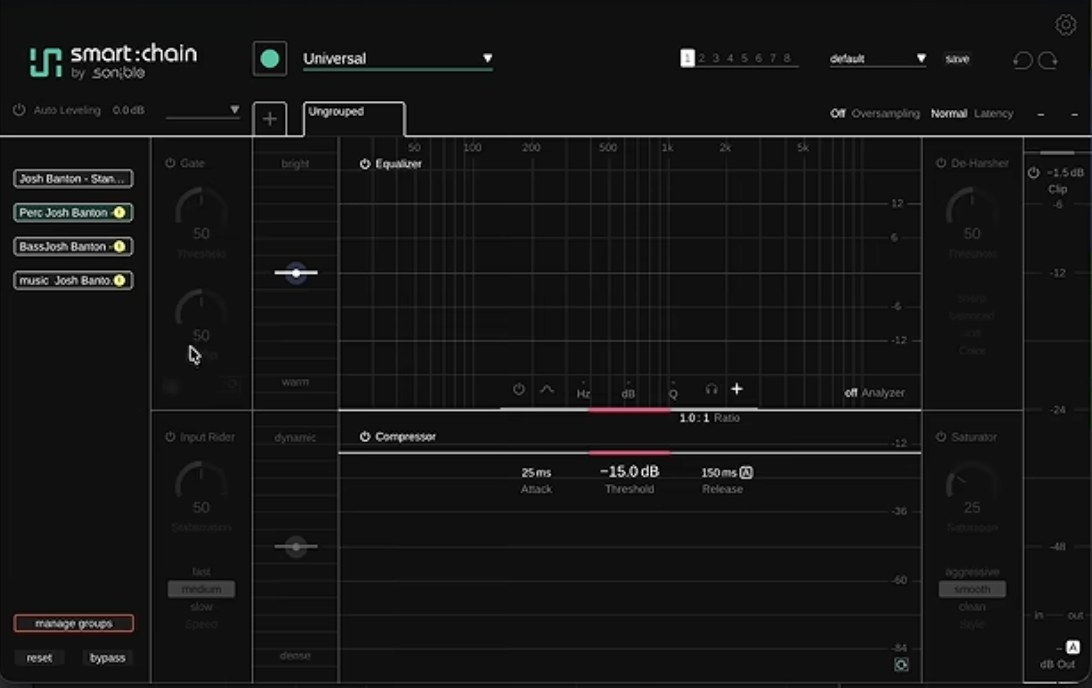
Then I selected all of them and bypassed them together to hear the before and after.
The result: it’s cleaner, but it lost the energy and the vibe. Everything just felt flat. That might not be Sonible’s fault, so I went in to see what it had actually done on each track.
What It Did on Each Track
- Percussion: Light compression and some EQ cleanup. I could take it or leave it.
- Bass: Light compression and a small boost around 200 Hz. Nothing groundbreaking.
- Music (Rhodes and horns): This was the problem. It was compressing the horns way too much, and that’s a big part of why the vibe was gone. I don’t blame the plugin entirely, since the horns and keys were on the same stem. I cut the ratio back and raised the threshold, and after that it just pulled the horns in a touch when they hit. Much better.
One thing I noticed across every track: it never turned on the saturation or the de-harsh section by itself. If you want those, you’ll be adding them yourself.
Groups, Mix Position and Auto-Leveling
Smart Chain lets you put tracks into groups and position them in the mix, which is where the “the plugins talk to each other” idea really comes in. It’s a little hidden. You have to add a group yourself before you see anything, then move tracks from “ungrouped” into it.
Since it’s a hip-hop record and I want the kick and snare to hit you, I put drums and bass in front and the music and percussion in the middle. Then I turned on auto-leveling, which also lets you pick a style.
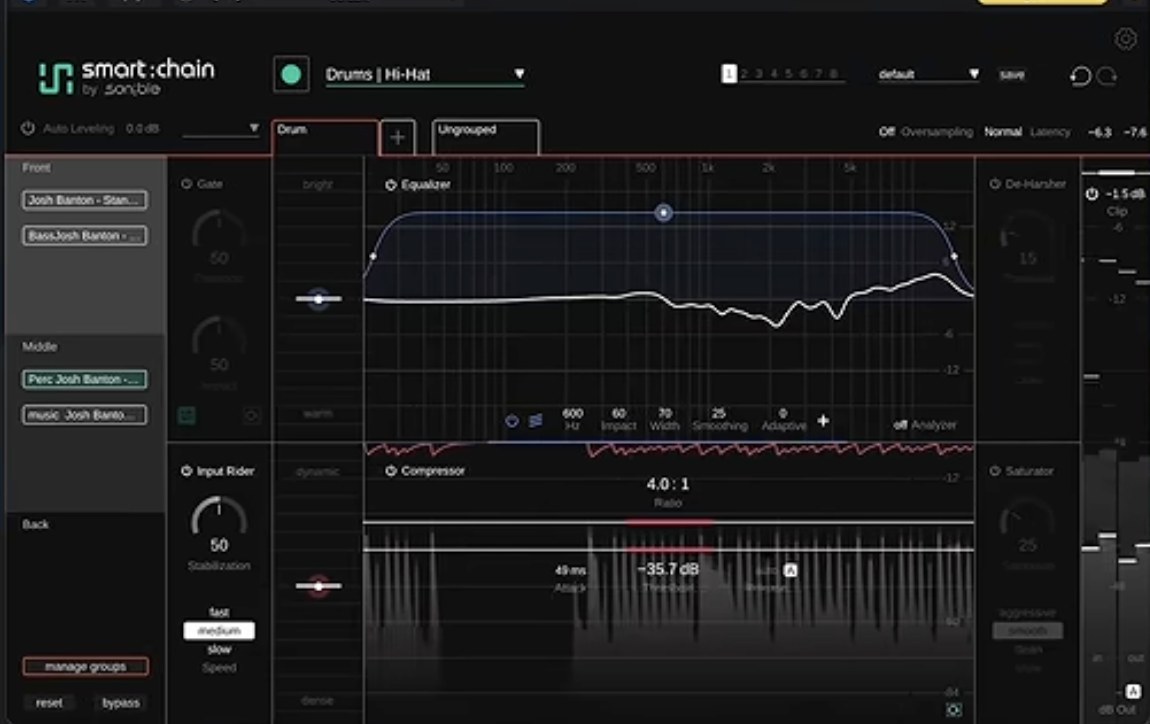
Honestly, to my ears that made it worse. I liked it better on Universal without auto-leveling. The drums hit harder and there was more front-to-back separation in the mix. Could that be demo-itis on my part? Very possible. But it wasn’t the direction I’d take the song.
Mixing & Mastering
Want a mix that keeps the vibe?
One engineer handles everything, start to finish. Credits include A$AP Rocky, Kelly Clarkson and Travis Barker.
How I’d Actually Use Smart Chain
Like all of Sonible’s stuff, Smart Chain is really good at taking a signal, cleaning it up and making it sound a little more polished. I already use Sonible’s EQ once in a while this way. If I get a vocal with a lot of problems, I’ll run it through and see what it spits out. Sometimes that’s a better place to start building from with my other EQs and compressors.
That’s how I see Smart Chain: a good building tool. I wouldn’t trust it to hit the buttons, run the mix and bounce. I don’t think that’s what it’s meant for anyway. It’s a solid starting place.
The Bigger Lesson
Smart plugins read the signal. They don’t read the song. Smart Chain heard a loud kick and turned it down, because on paper that’s the balanced thing to do. On a hip-hop record, that kick is the point. That gap between technically balanced and actually right for the record is the part a mix engineer brings. It’s the same thing I found when I put my mastering up against AI services, and it’s why I walk through every decision in my hip-hop mixing guide.
Common Questions About Sonible Smart Chain
What is Sonible Smart Chain?
It’s a plugin that combines Sonible’s smart EQ and smart compressor in one chain, with a clipper, saturation and de-harsh section. Every instance in your session can be grouped and positioned so they balance against each other.
Can Smart Chain mix a song for me?
It can get you a cleaner, more balanced starting point. In my test it didn’t get to a finished mix. It overcompressed the kick and the horns and flattened the energy of a hip-hop song, so I had to go in and adjust it by hand.
Does Smart Chain work on hip-hop?
It works, but watch the compression on your kick and anything with punch. It doesn’t know the genre’s intention, so it may treat the kick like it would in pop or rock. Back off the compressor and check your drums hit the way they should.
Is Sonible Smart Chain worth trying?
If you want a fast way to clean up tracks and a starting point to build on, yes. Try the demo on one of your own songs and A/B it carefully, especially the energy of the mix, not just how clean it sounds.
Key Takeaways
- Smart Chain combines Sonible’s EQ and compressor, and every instance can work together across the session
- It’s great at cleaning up a signal, but its EQ is technical, not taste
- On a hip-hop song it overcompressed the kick and horns and made the mix feel flat
- Auto-leveling made my mix worse; Universal without it sounded closer
- Use it as a starting point to build on, not a one-click mix
Have you tried Smart Chain yet? Let me know how it worked on your music in the comments. And if you want your song mixed by someone who knows the kick is supposed to kick, hit me up here.